I was just using my phone as a viewfinder, and my walls and windows looked like a Minecraft world.
My cartoon camera was supposed to turn the scene into flat colors and ink outlines. Instead, it was making blocks.
Why it made squares
The smoothing comes from a Kuwahara filter. It simplifies the colors in a photo so it looks more like paint.
A normal blur mixes nearby colors together. That smooths out texture, but it also mixes across edges. A window frame starts blending into the wall.
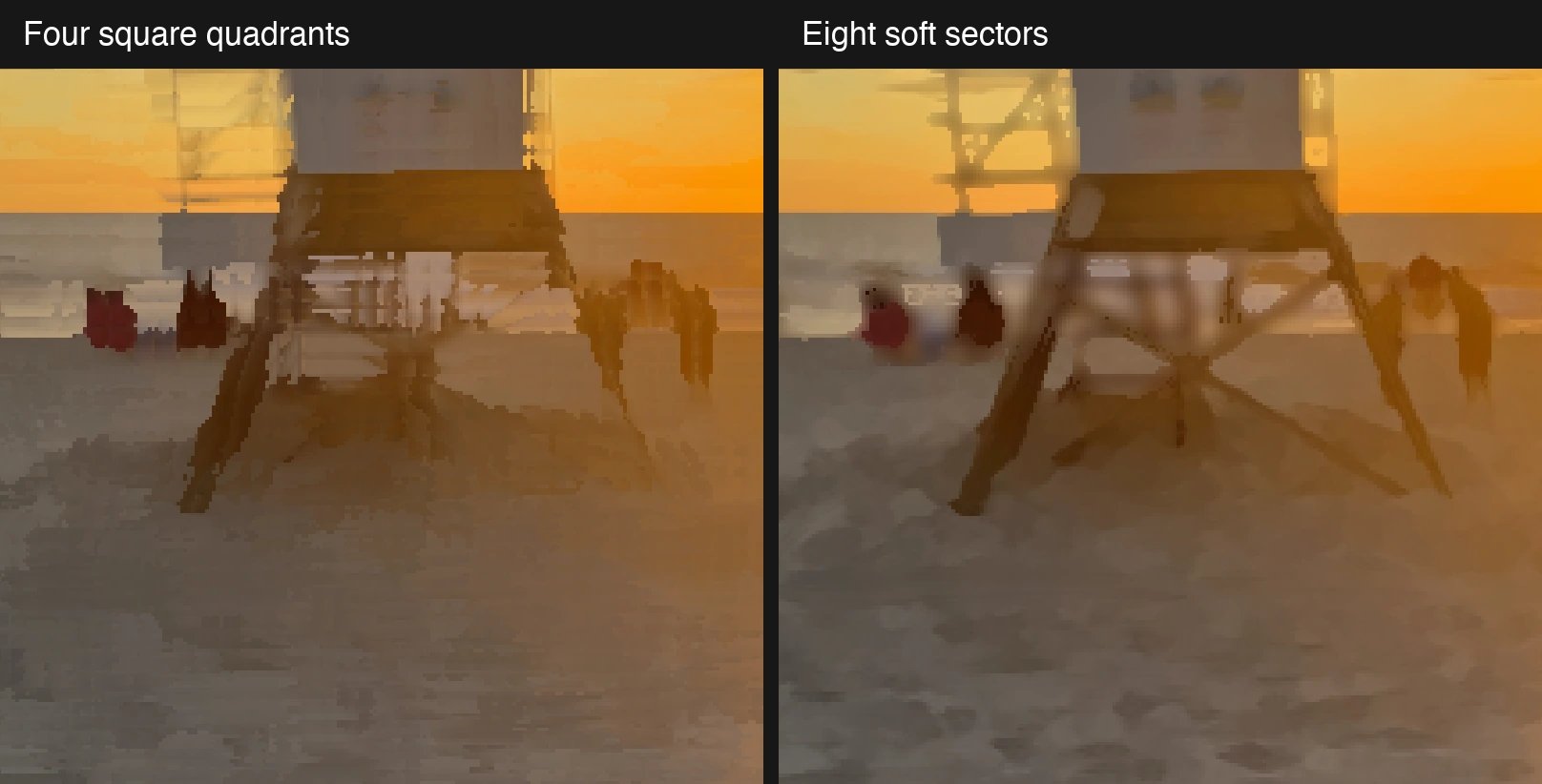
Kuwahara is more selective. My first version checked four overlapping square patches around each pixel. It measured how different the colors were inside each patch. (That's what "variance" means.) It picked the patch whose colors were most alike, mixed them into one color, and used that for the pixel.
A patch entirely on the wall usually has less color variation than one crossing the window frame. Choosing that patch smooths the wall without mixing in as much of the frame.
The catch was the squares. Their shape kept showing up in the picture, leaving rectangular patches where there shouldn't be any.
I switched to a circle divided into eight overlapping slices. Instead of picking one winner, it blends the slices' average colors, with the more even-colored slices contributing more. The slices also fade at their edges rather than stopping at a hard line. The result is less boxy.
Three other things helped
The filter wasn't the whole problem:
- The color bands jumped too sharply. Tiny changes in brightness could flip a pixel into the next band. A short blend between bands softened those jumps.
- The picture was drawn too small. The browser stretched it to fill a sharper screen. Drawing the final colors and outlines at a higher resolution helped.
- The camera image lost detail when cropped. Filling the screen can mean cutting off part of the feed. I requested a larger camera image, though the browser decides what it actually delivers.
One fix led to the next pretty quickly. That work carried over into Lightdab.
If you want to see the squares turn into slices, try the split view.